Original post · WranglerTJ Forum
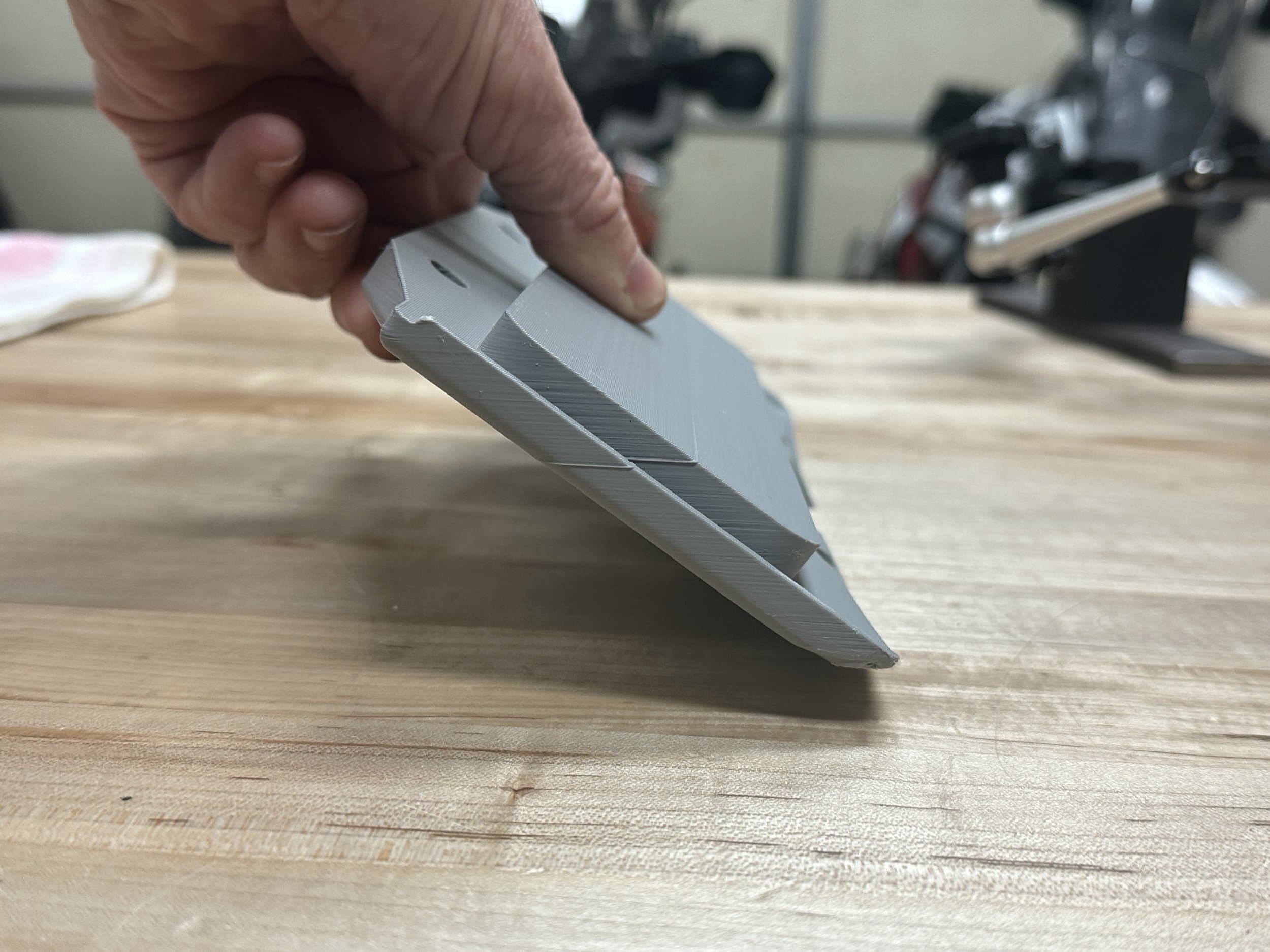
I actually tried printing it in that flat orientation because I thought it would give a better overall surface to the top, but it did not. I've tried it a few ways - mainly just to get familiar with how the thing works. Bambu Studio recommended printing it standing on the angled front edge, resulting in the body being angled at about 45 degrees. Like this: It was able to print it that way without any support material, and the finish was quite good all over - except for one two small edges on the front which came out very rough without support: I then printed it with grid support on just those rough edges, and it came out much better, but still a little rough. See the front edge on the left: But, that I was able to file smooth, as I did on the right side. But, the outside walls were just a bit too thin, and filing it smooth started cutting into the grid as you can see. This was printed with a wall thickness or .42mm. In this orientation, everything else, top and bottom, looks pretty good. So, lesson learned, I sliced it with an outside wall thickness of 1mm, oriented in the Studio recommended angle, with grid support just on those edges, and we'll see how that works. The thicker walls should let me file those small sections smooth without getting into the grid - at least I hope.
Looking for files? Try these
This post doesn't include a downloadable file. Here are similar prints with downloads available.